RenderLab — A Render Graph Lab in Your Browser
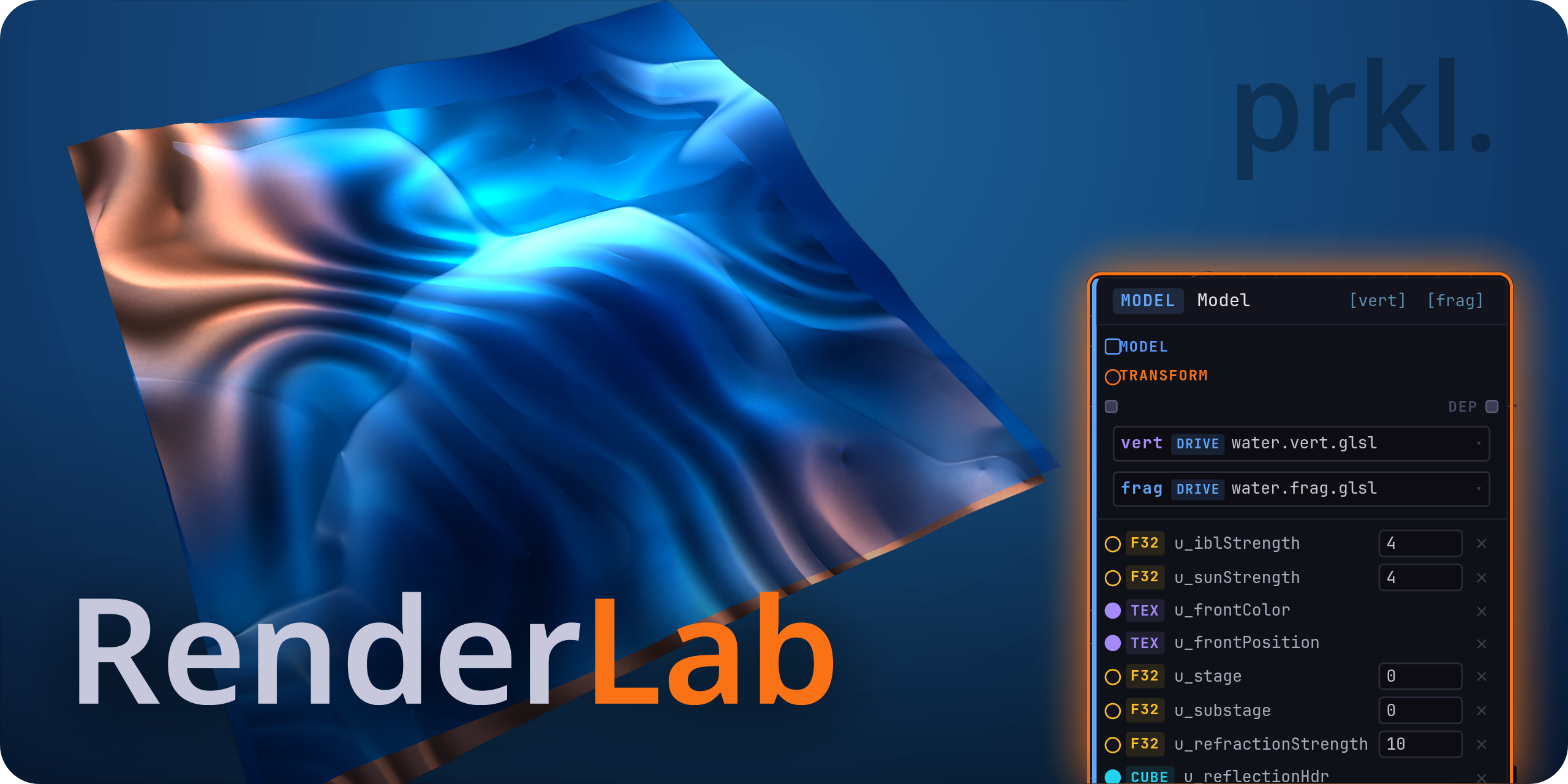
RenderLab is a browser-based render graph laboratory — a place to prototype rendering techniques and whole rendering stacks by wiring shader, geometry, and resource nodes into a live graph and watching the result in the viewport.
It runs entirely in the browser (on WebGL2), and is designed around two audiences:
- The technical artist sketching a rendering technique who wants to see it on screen without standing up an engine,
- and the graphics programmer prototyping a stack, who wants raw control over shaders, render targets, and draw order without an abstraction fighting them.
Early alpha. RenderLab is open and free to use right now, with the limitations described at the bottom of this post (most notably: cloud storage is read-only during alpha — your work lives in local browser storage and exports). Expect rough edges; feedback is welcome.
Render graphs
The render graph is the core of the tool. You build a directed graph of nodes — shaders, draw calls, geometry sources, assets, render targets — and connect them. The graph is the program: RenderLab walks it every frame and executes the rendering you described.
This maps directly onto how rendering actually works. A node produces outputs (a populated render target, a uniform value, a mesh); you connect those outputs to the inputs of downstream nodes; shared render targets let one pass feed the next. There is no hidden frame loop and no opinion about what kind of renderer you are building — forward, deferred, a post-processing chain, a single screen-space experiment — it is all just nodes and connections.
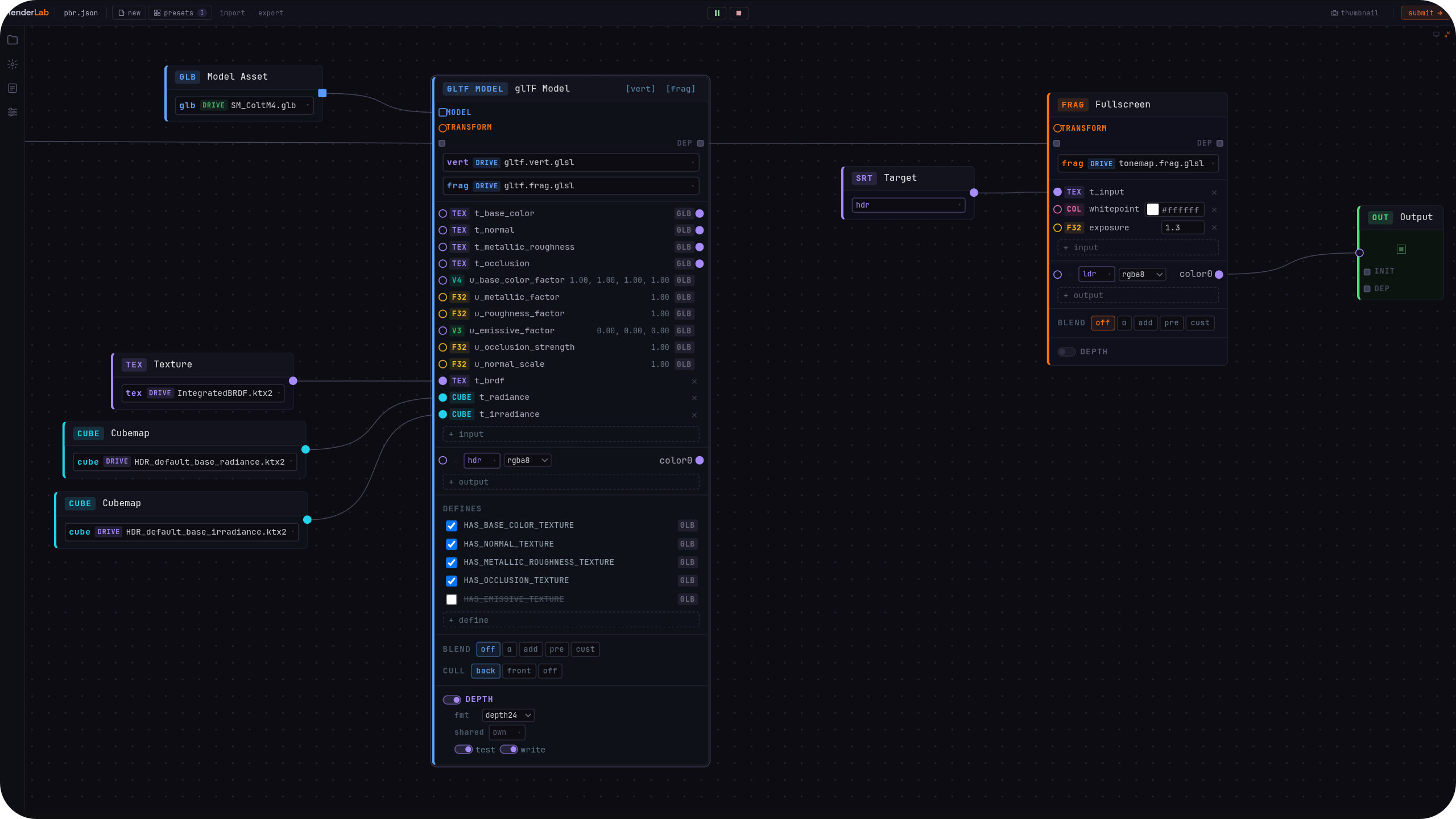
Three graphs ship as live presets you can open, inspect, and fork:
- PBR — physically based rendering driven by the glTF model node.
- Water — custom shaders combined with the built-in geometry nodes.
- Geometry Script — a procedural mesh generated in Lua and drawn through the graph.
Integrated IDE
Everything you write — GLSL shaders and Lua geometry scripts alike — is edited inside an integrated IDE built on Monaco (the editor that powers VS Code), and it behaves the way you expect a real editor to behave.
- Full GLSL and Lua language integration — code completion, hover, and inline error diagnostics ("squigglies") as you type.
- Errors surface everywhere they're relevant. A shader, graph, or geometry-script error shows up in three places at once: marked on the graph node it belongs to, listed in the error output with clickable links that jump you straight to the offending line, and underlined in the editor itself.
- A general UX bar set by VS Code — multiple files, fast navigation, keyboard-first.
The point is that when something is broken you are never hunting for where. The graph tells you which node, the error list tells you which line, and the editor takes you there.
Inspector
The Inspector gives you RenderDoc-style frame inspection, in the browser. Select any node in the graph and you get its full history for the frame: every draw call it issued, the input uniforms as they were bound, and the output targets it wrote — captured as they were at any point during graph execution.
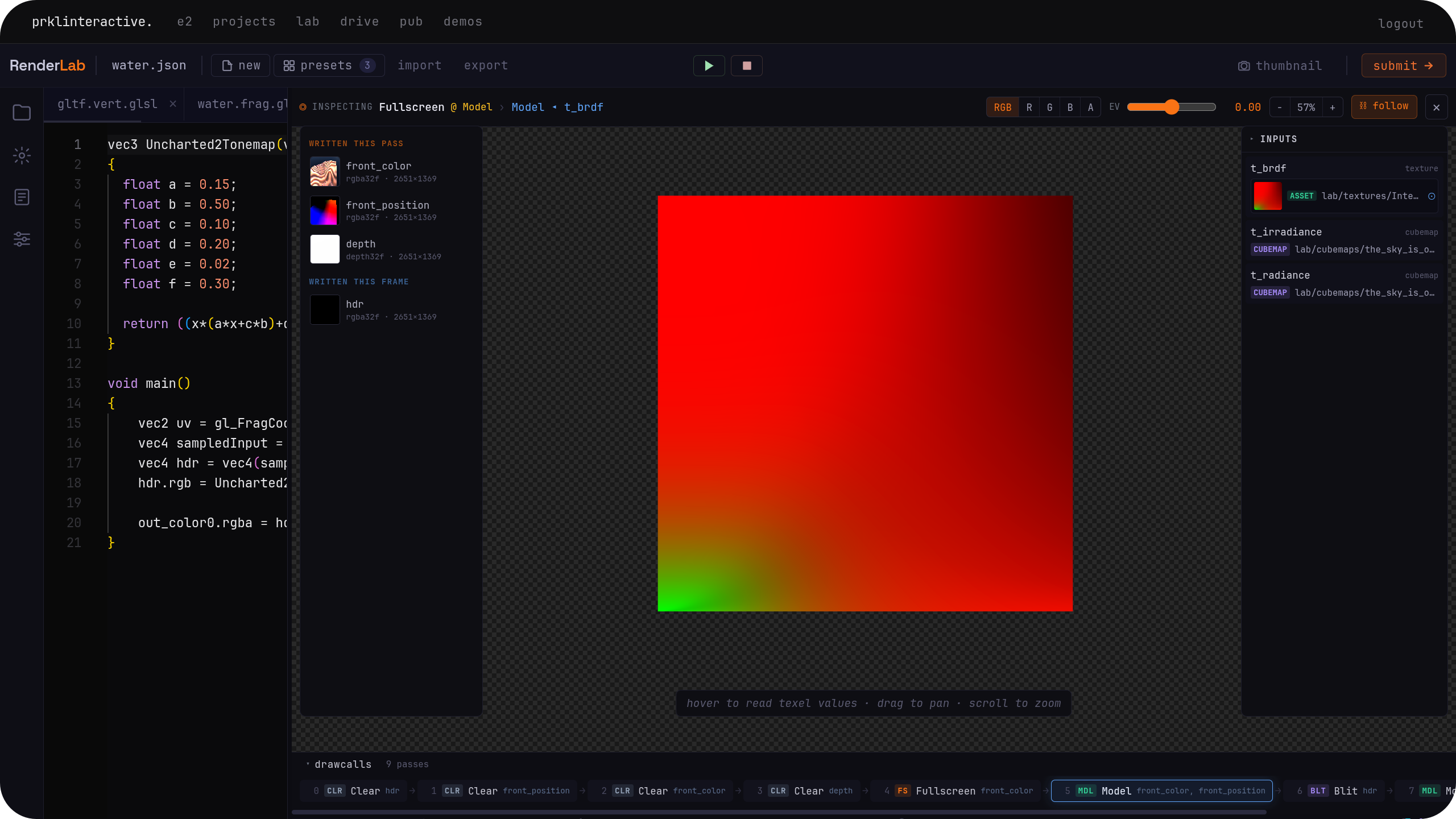
Because the graph executes deterministically, the inspector is an honest record of what the GPU was actually told to do, in order. It is the difference between "the output looks wrong" and "this draw call bound the wrong target."
Built-in geometry nodes
Not every mesh needs a model file or a script. Built-in geometry nodes hand you parametric primitives — plane, sphere, cube, cylinder, cone, torus — each with adjustable parameters, ready to draw through the graph straight away.
The Water preset is built on these: a built-in surface drawn with custom shaders through raw Model nodes. Primitives are the quick path to "something on screen" — and the starting point you customize from.
Geometry scripts
When a primitive isn't enough, drop to a geometry script. Geometry scripts let you write parametrized, procedural mesh geometry in Lua and feed the result straight into a draw call. You expose parameters, generate vertex attributes and indices in code, and the graph treats the output like any other mesh.
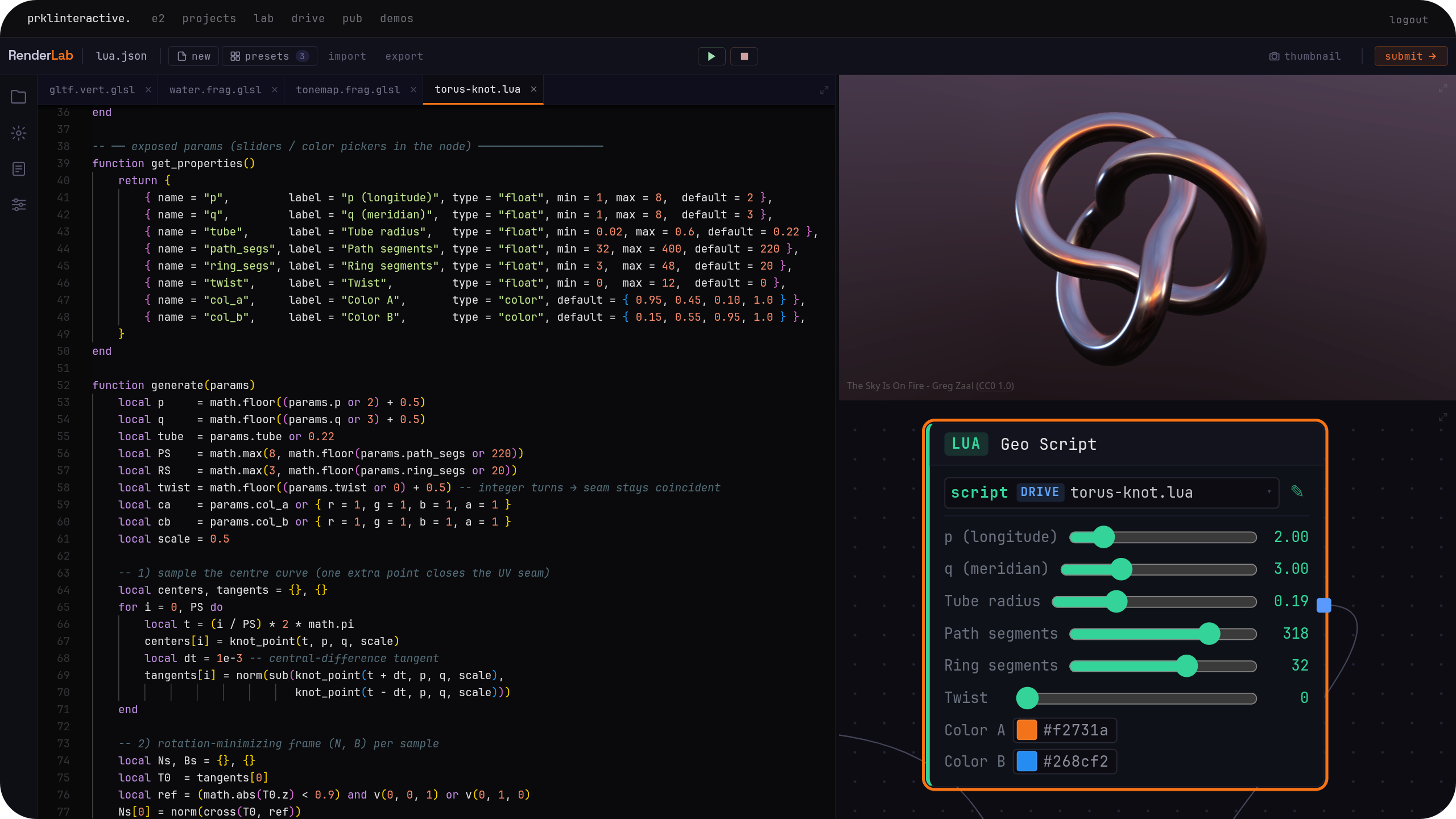
The Geometry Script preset is a live, working example — open it to see the script, its parameters, and the mesh it produces, then change the numbers and watch it rebuild.
→ Open the Geometry Script preset
glTF-specialized render nodes
Plug a .glb model into the glTF shader node and you get full access to the model's embedded
textures and material attributes, with glTF semantics respected throughout — the node
understands the format rather than handing you an undifferentiated blob.
You can render with the built-in glTF shader, or fork it and modify it freely — it is just a shader you now own. The PBR preset is the live example: a glTF model rendered through the built-in physically based shader, ready to fork.
Built for how graphics programmers think
RenderLab deliberately does not wrap rendering in high-level abstractions you have to defeat. It prioritizes UX heavily, but never at the cost of control.
When you don't want the specialized glTF path, reach for the raw Model shader node: write any set of shaders, declare your own uniforms, set up your shared render targets, and treat the node as a generic draw call. Then keep adding and connecting nodes. Multi-pass techniques, screen-space effects, custom lighting models, feedback between targets — the vocabulary is small and composable, and a small vocabulary connected freely goes a long way.
That vocabulary includes the plumbing a real pass needs:
- A typed math & transform graph. Build
mat4transforms and quaternions (make, combine, rotate, axis-angle, slerp), assemble and split vectors, and do arithmetic, trig, and lerps — then wire the typed results directly into node uniforms and model transforms. - A Builtins node exposing the per-frame values you reach for constantly:
resolution,time,mouse,frameindex, and frame delta time. - Graph-structure nodes for the rest of a frame: declare shared render targets, clear them, blit between them, run fullscreen passes (tonemapping with exposure and whitepoint, for instance), and pin explicit ordering dependencies when execution order matters.
Working in the alpha
During early alpha, cloud storage is read-only, and features may be missing, but you can do real work:
- Author locally. Shaders, graphs, and geometry scripts you create are saved to local browser storage.
- Link external assets. Use the Web asset nodes to point at meshes and textures by URL.
- Fork freely. Every officially hosted graph, shader, and geometry script can be forked into your local storage and modified.
- Export and share. Export your work to a
.zipand re-import it later, or hand it to a friend. - Submit a preset. You can submit a graph to be evaluated and published as an official preset on the site.
Platform limits & roadmap
RenderLab runs on WebGL2, not WebGPU, which sets hard boundaries worth stating plainly:
- No compute shaders and no SSBOs. In practice, fragment shaders writing to render targets cover a lot of GPGPU-shaped work and are often a workable stand-in — but it is a stand-in, not the real thing.
A standalone native version built on Vulkan is in the works, with the proper tooling to fully utilize compute shaders and similar techniques. The web version will keep receiving love, features, and stability updates based on user feedback.
Try it
RenderLab is open now. Open a preset, fork it, break it, rebuild it.
Found a bug or have feedback on the alpha? It's genuinely wanted.